
Nodes and hardware
Every node reports its own hardware with each heartbeat: CPU, memory, disks and their health, NICs, PCI devices and temperatures. Nothing here is probed from another node.
The node list
Section titled “The node list”Console: Admin › Metal › Overview. One row per node with its role, state, committed vCPU and memory against what it can offer, and when it last reported.
stratumctl nodes liststratumctl nodes list --state cordonedstratumctl nodes get n-abc123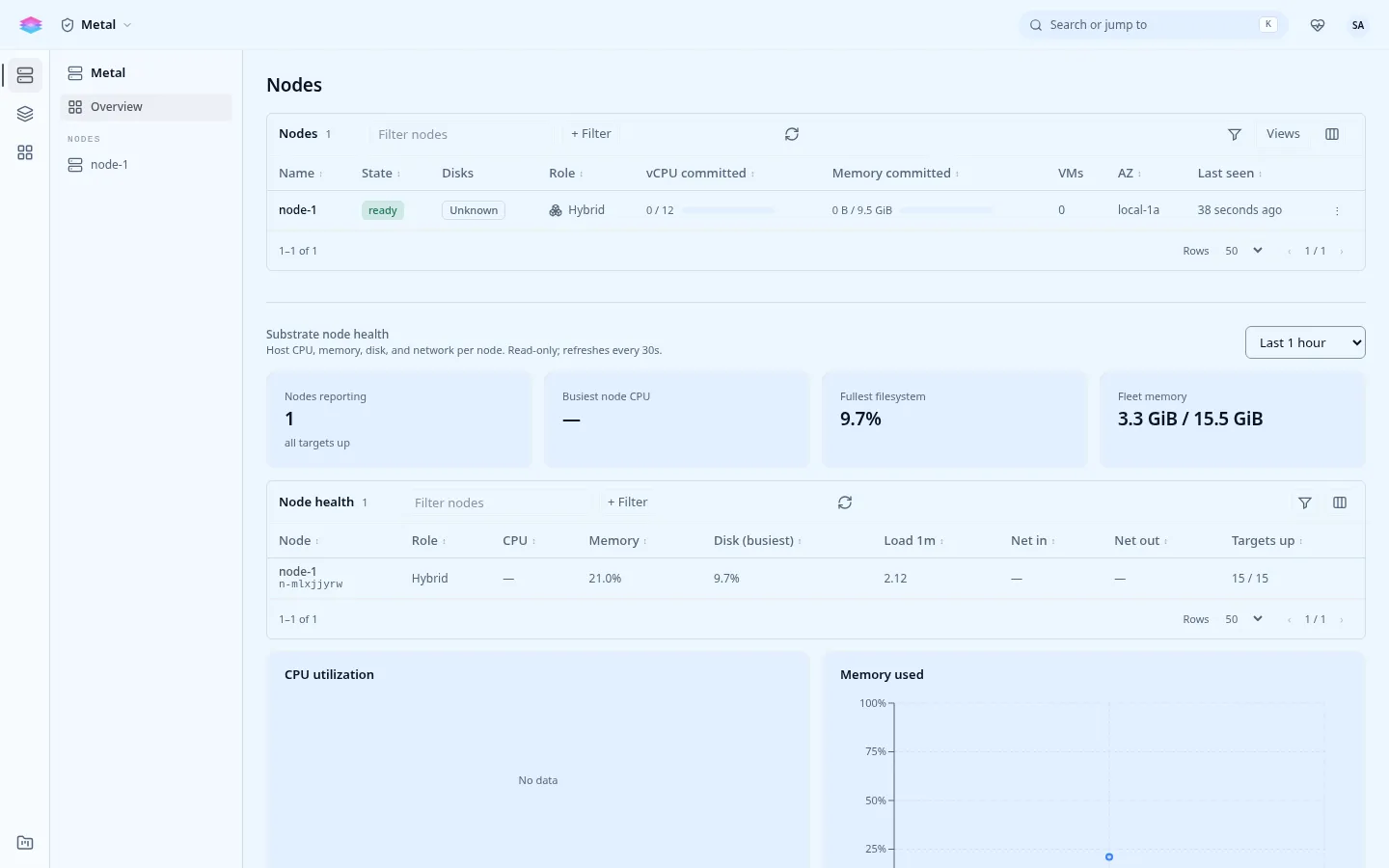
On a cluster, machines waiting to join show under Joining nodes, and Add node makes a join code. See Add a node, and Remove or revoke a node for taking one out.
| Field | Meaning |
|---|---|
| Role | hybrid runs the control plane and instances (every single node is hybrid); hypervisor runs instances only. |
| State | ready, cordoned (no new instances), draining, maintenance, or unknown (no recent heartbeat). |
| Reserved / Allocatable | What the node keeps for the platform, and what that leaves for instances. See Host reservation. |
| Last seen | The last heartbeat. A node silent for long is unknown, and readiness reports NodeNotReporting. |
A node’s detail
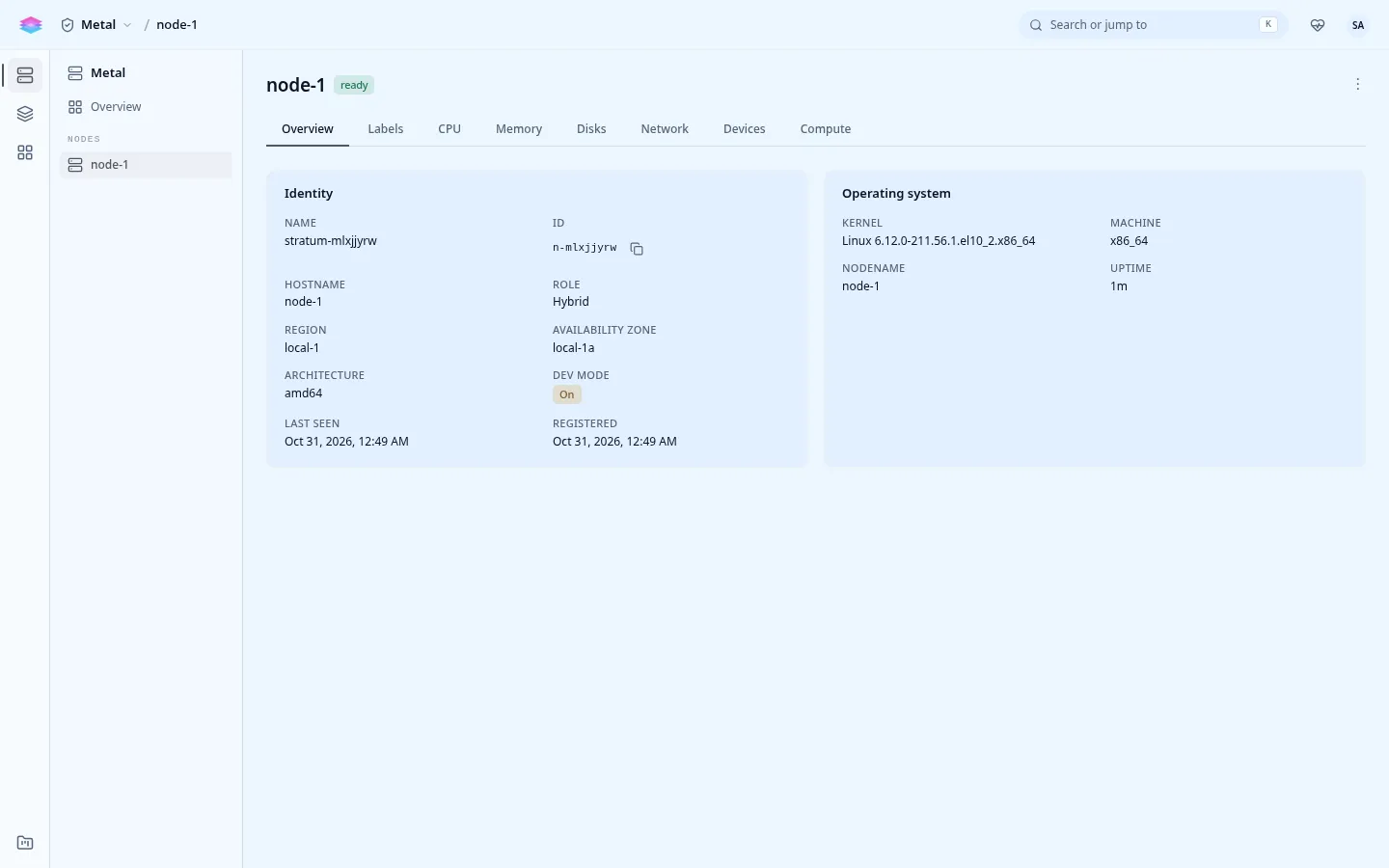
Section titled “A node’s detail”Each node has its own entry under Metal in the console, with these tabs:
| Tab | Shows |
|---|---|
| Overview | Name, ID, hostname, role, region, availability zone, architecture, last seen; host metrics over 15 minutes to 24 hours. |
| Labels | Topology (region, zone, rack), detected capabilities, operator labels and taints that steer the scheduler. |
| CPU | Model, sockets, cores, threads; virtualization flags (VT-x or AMD-V, nested virtualization), kernel and KVM; temperatures and their headroom. |
| Memory | Total, used and committed memory; the memory modules the firmware reports. |
| Disks | Every block device with its use (OS, pool, free) and drive health; filesystems; the raw LVM view. |
| Network | NICs with link, speed, MAC and addresses, and the node’s networks. |
| Devices | PCI devices, GPUs and accelerators first, with SR-IOV capacity. |
| Compute | The instances placed on the node. |
Firmware facts (UEFI, Secure Boot) show on the Overview tab.
Drive health
Section titled “Drive health”Each drive’s SMART data rolls up into one condition, worst first:
| Condition | Means | Alarm |
|---|---|---|
failing |
Reliability is degraded: spare exhausted, media errors, reallocated or pending sectors, or the drive reports itself degraded. Replace it. | disk-failing |
wearing |
Flash endurance used past the drive’s bound. Weeks to months of notice. | disk-wearing |
hot |
Above the drive’s own warning temperature. A cooling problem. | disk-hot |
healthy |
SMART read, nothing wrong. | |
unknown |
SMART could not be read. This is missing information, not a healthy drive. |
The reason names the drive’s own threshold, for example “72C is above this drive’s 70C warning threshold”. See Disks to replace one.
stratumctl nodes disks n-abc123Other hardware alarms
Section titled “Other hardware alarms”| Alarm | Fires when |
|---|---|
node-cpu-hot, node-cpu-critical |
CPU temperature near or past its limit. |
node-nic-flapping |
A NIC’s link keeps going up and down. |
node-disk-low |
A node filesystem is running out of space. |
md-raid-degraded |
An MD array lost a member. |
host-resource-pressure |
The host is short of memory, CPU or I/O. |
They go to the operator’s notification channel; see Alarms and notifications.