
Install the other nodes
Each other machine installs from the ISO as a joiner. A joiner has no stage 2: after the reboot it registers with the cluster and waits for your approval.
Stage 1: choose Join a cluster
Section titled “Stage 1: choose Join a cluster”Boot the ISO and choose Join a cluster on the first screen. It asks for the
two things the join code gave you: the cluster’s
address and the code. The field also takes the stratum-join:// URL.
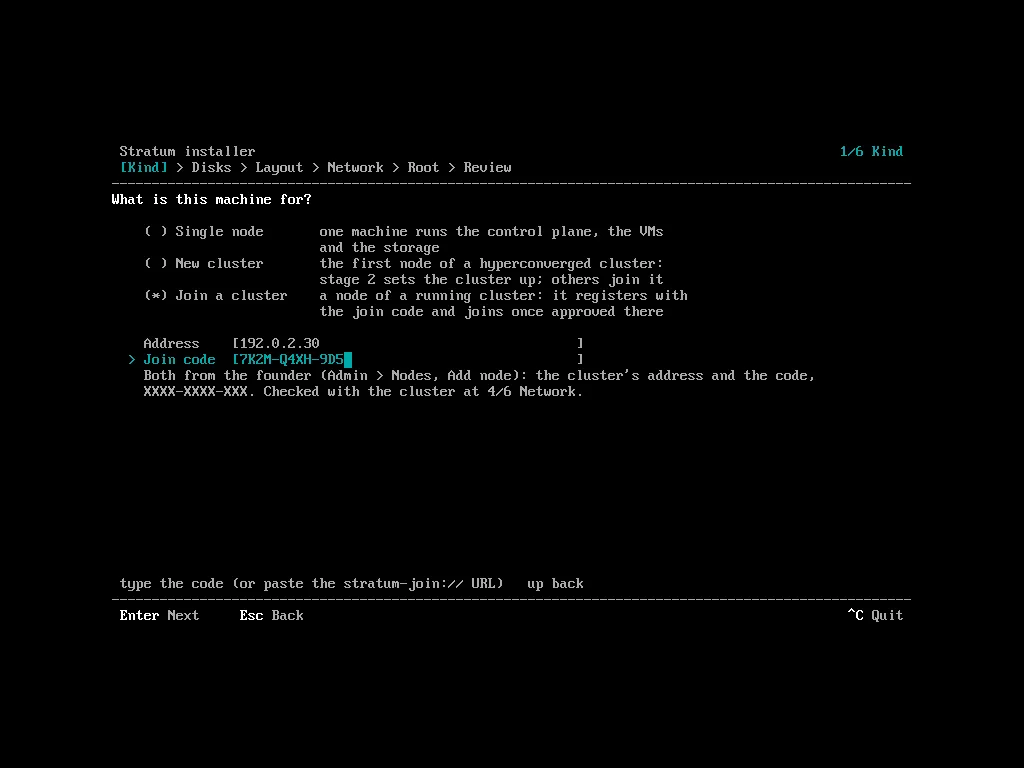
The other screens are those of stage 1: OS disks and layout, management NIC and host name, root access, review. Give the node its own host name and a static address on the management subnet. As on the first node, the review wipes the other disks that hold data unless you turn it off.
When you leave the network screen the installer brings that NIC up, and checks over it, before anything is wiped, that:
- the address answers and the cluster proves the code;
- the cluster runs the release on this ISO.
A failed check names the part. Press enter again to go on without the check (for example, the first node is not up yet): the node checks again after the reboot.
Remove the install medium, then press enter.
What the joiner shows
Section titled “What the joiner shows”After the reboot the join agent (stratum-join.service) makes the node’s key,
registers its hardware, release, host name and serial, and shows its state on
the console and in the login banner: registering, waiting for approval
with a pairing code, installing step N of M, joined, or failed with the
step and the error.
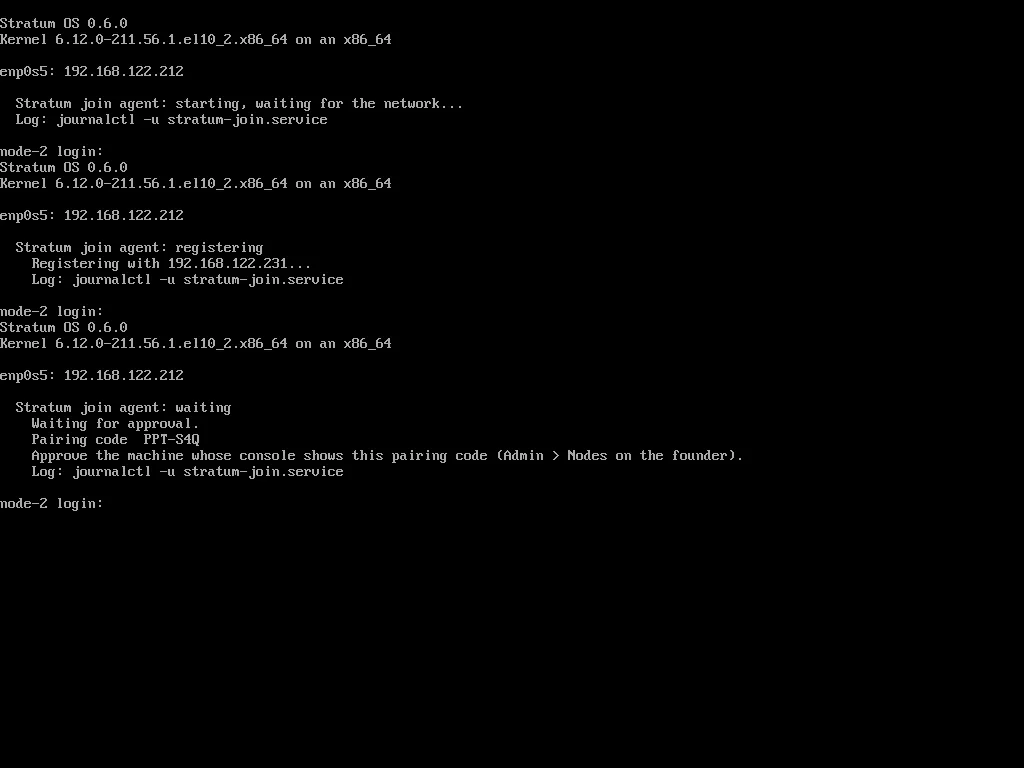
The cluster lists the same machine with the same pairing code:
stratumctl admin nodes joins listID STATE PAIRING HOSTNAME SERIAL SOURCE NODE WAITING FORnj-8w2k4m1p pending 4F7-K2Q node-2.example.com SN0002 192.0.2.12 - -Console: Admin › Metal, Joining nodes. Approve the machine whose console shows the pairing code you see.
If the code was wrong or has expired, replace it on the joiner without reinstalling:
stratum-installer join --endpoint 192.0.2.240 --code 4F7K-2Q9M-ABDstratum-installer join --check # check the saved codejournalctl -u stratum-join # the agent's logRegistration is refused when
Section titled “Registration is refused when”- the code is wrong, expired, revoked or burned;
- the machine runs another release than the cluster. The message names the cluster’s release and its ISO;
- more than 16 machines are waiting;
- an upgrade is running. Try again later.
A machine nobody approves expires 24 hours after its code expires.
A machine from an older ISO
Section titled “A machine from an older ISO”A machine whose ISO is older than the cluster’s release upgrades itself before
it registers, when the cluster allows it. It shows as needs-upgrade and cannot
be approved yet:
nj-8w2k4m1p needs-upgrade 4F7-K2Q node-2.example.com SN0002 192.0.2.12 - upgrading itself from 0.6.0 to 0.7.0It happens when:
- the machine’s release is older than the cluster’s, within the cluster release’s minimum upgrade-from version and the upgrade paths;
- the cluster can give it the release: from the release mirror it fetched it from, or, with no mirror, from the release directory it holds (an attached medium or an import directory). That directory must stay in place until the machine has joined.
The machine downloads the release, verifies it against the release keys on its
own ISO, installs the release’s OS, restarts, registers again and becomes
pending with the same pairing code. Approve it as any other. The console shows
the step it is at. Do not power it off.
- If the new OS does not come up, the machine falls back to the old one, reports it and tries again. A failed attempt shows on its record and is retried every 10 minutes. Reject it to stop.
- Nothing is added to the cluster until you approve it.
- An ISO from before a release-signing key rotation cannot verify the new release: use a newer ISO.
Next: approve each join.