
Readiness, settling and alarms
Readiness
Section titled “Readiness”Readiness answers “can this cloud do its job right now?”. Every finding is recomputed from current state on each read, says what to do, and clears by itself once the gap is closed.
stratumctl admin readiness # findings and their fixes; exits 1 when not readystratumctl admin readiness --wait 30m # wait until ready, for scriptsstratumctl admin readiness -o json| Severity | Means |
|---|---|
blocking |
An operation cannot be performed. The cloud is not ready. |
warning |
It works, but a foreseeable case will fail. |
info |
Nothing is wrong: a deliberate state worth knowing. |
A cluster has findings of its own (formation, storage paths, Ceph, joins): see Check readiness and Troubleshooting a cluster.
Common findings on a single node:
| Finding | Fix |
|---|---|
NoStorageClass, NoDefaultStorageClass |
Create a pool and a class, mark one default. |
NoImages |
Add a base image or import one. |
NoAlertChannel |
Add a notification channel so alarms reach someone. |
TimeNotSynced |
Check NTP reachability. TimeSourceLocalClock (info) means an offline install keeps its own clock on purpose. |
AdminPasswordDefault |
The admin still has the install-time password: sign in and choose one. |
SingleInstallAdmin |
Grant platform-admin to a second person. |
SubstrateNearReservation |
The platform uses over 90% of its reserved memory: raise the host reservation. |
UpdateAvailable, SecurityUpdateAvailable |
A newer release is on the mirror. See Upgrades. |
Console: Admin › Substrate › Overview.
Settling
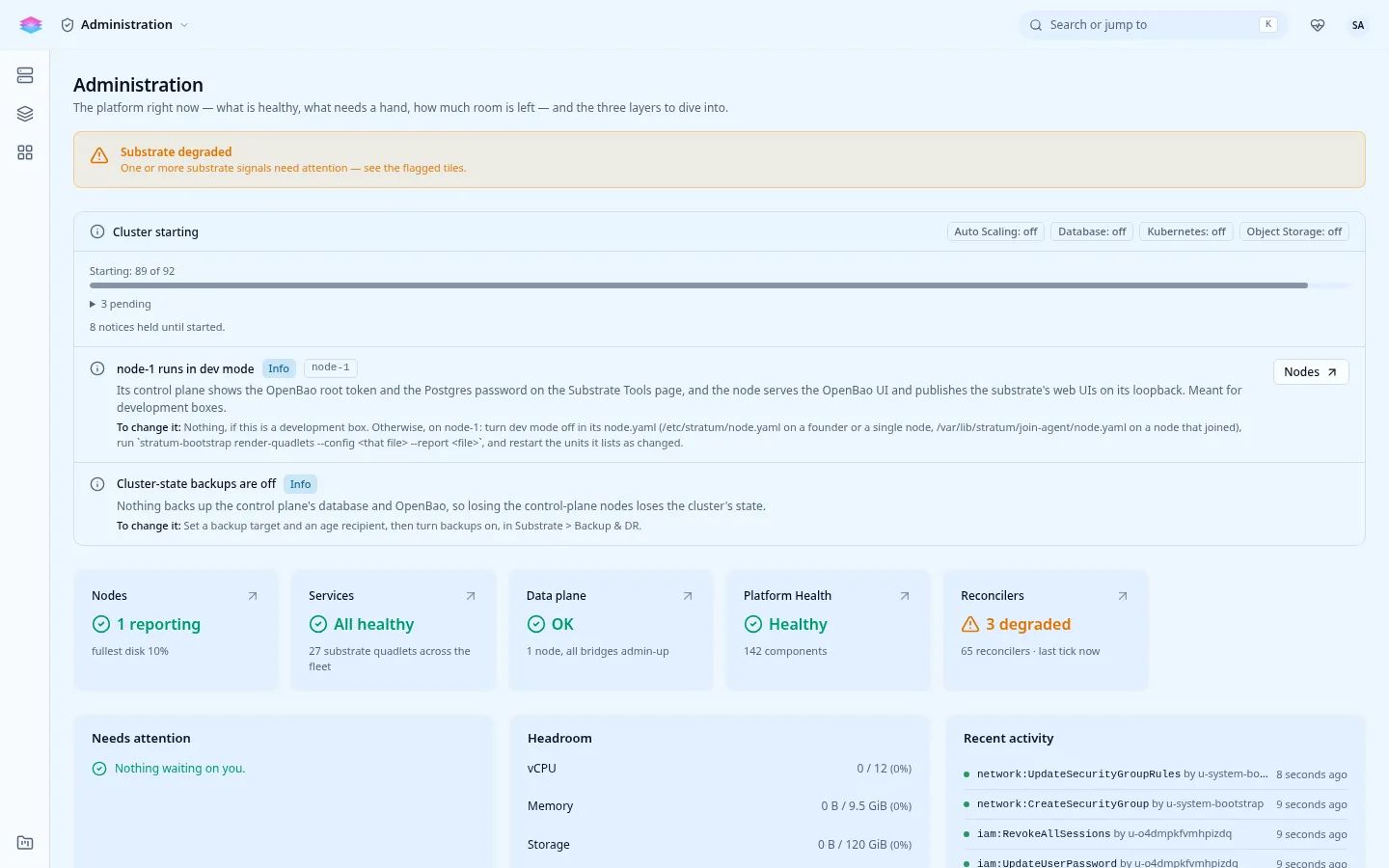
Section titled “Settling”Right after an install, an upgrade or a reboot, the cloud reaches ready within a minute or two while many background loops are still on their first pass. Until all of them have converged once, or 15 minutes have passed, the cloud is settling:
- the console shows Starting: N of M instead of warnings;
- warnings and firing alerts are held back, so a fresh start does not page anyone; blocking findings are never held;
- afterwards the phase is
ready, ordegradedwith what never converged.
Alarms
Section titled “Alarms”The Platform Health pack ships alarms for the platform itself: readiness
blocked for 10 minutes (cluster-not-ready), backups, upgrades, security
updates, storage pools and more. Firing alarms show under Admin › Substrate ›
Alerts.
Alarms reach people only through a notification channel. Wire the operator
webhook; reading the URL from stdin keeps it out of shell history, and further
lines are request headers (Authorization: Bearer ...):
printf '%s\n' "https://hooks.example.com/stratum" | \ stratumctl admin observability operator-webhook set --url-stdinstratumctl admin observability operator-webhook getSelf-check
Section titled “Self-check”stratumctl admin selfcheck runs an end-to-end check of the platform’s own
services and credentials, including backup freshness.