
What the instance agent is
stratum-instance-agent runs inside every instance. It is the in-guest half of
the features that need to reach into a VM without a network path to it:
| Feature | What the agent does |
|---|---|
| Health | Reports a heartbeat about once a minute, with its version and the outcome of its last pass. |
| Session Manager | Opens an interactive shell, runs commands, forwards TCP ports, all over an outbound connection. No floating IP, open port or bastion needed. |
| Run command | Runs a command on up to 100 instances at once and returns each one’s output and exit code. |
| SSH certificates | Signs the guest’s SSH host keys with the project’s host CA and keeps the guest trusting the project’s user CA, so certificate SSH works without managing keys. |
| Guest metrics | Reports CPU, memory and filesystem use from inside the guest. |
| Security posture | Reports the OS, installed packages, listening ports and services, which the platform matches against vulnerability data. |
| Self-update | Notices when the platform serves a newer agent and installs it. |
How it talks to the platform
Section titled “How it talks to the platform”The agent holds no credential and never calls the API. It talks only to the
link-local metadata service at 169.254.169.254, which every VPC provides. The
metadata service knows which instance is asking from the source address and
VPC, so everything the agent sends arrives already tied to its instance and
project. Taking over a guest therefore yields no platform credential.
For a shell or a command, the agent keeps an outbound channel open through the metadata service; the control plane relays the session over it. Nothing listens inside the guest.
operator ─▶ API ─▶ control plane ─▶ metadata service ◀─ agent (outbound only, inside the VM)Every session and command is authorized by the platform’s IAM and written to the audit log.
Where to see it
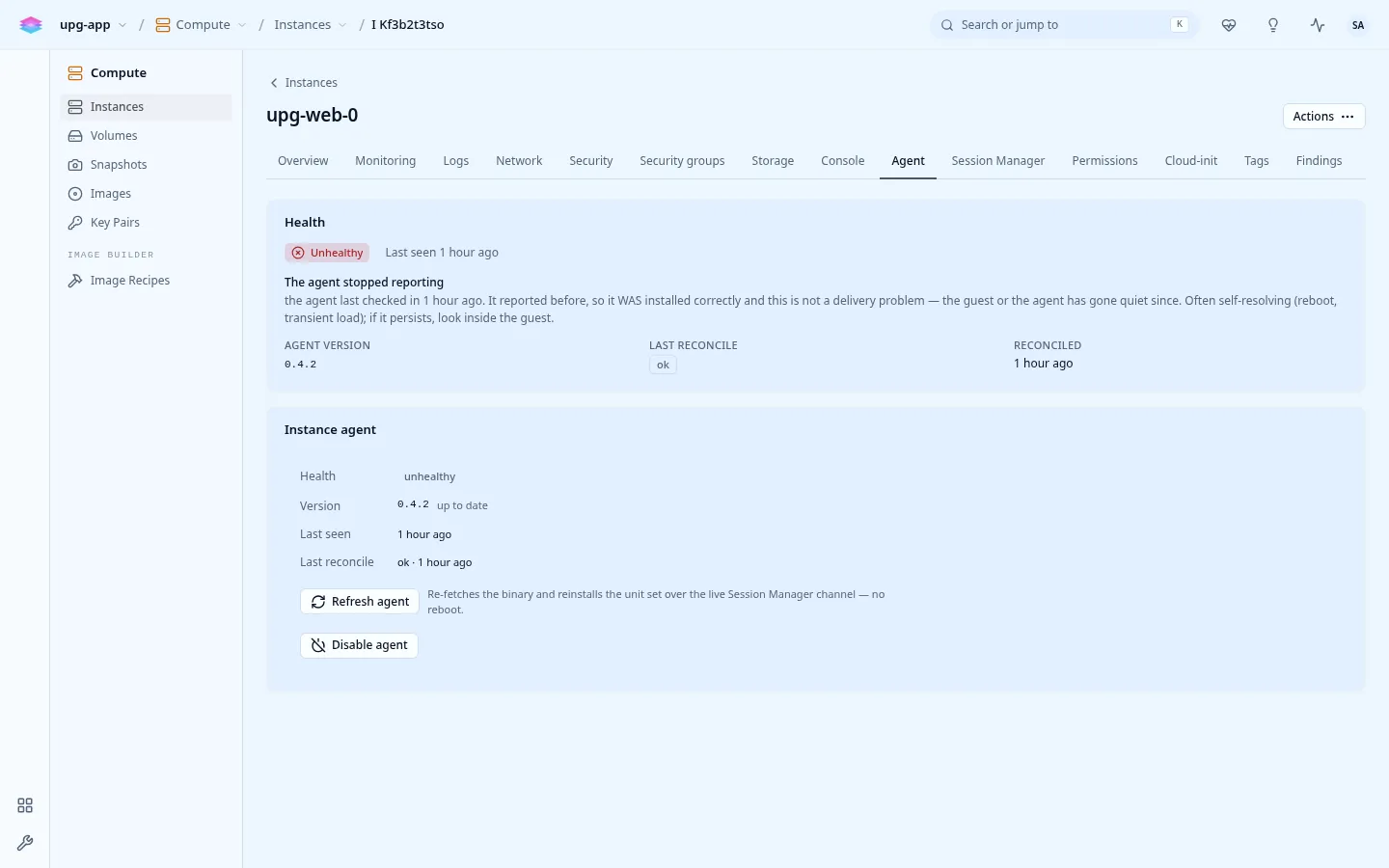
Section titled “Where to see it”- An instance’s Agent tab in the console: health, version, last seen, and Refresh agent.
- An instance’s Session Manager tab: the browser shell and the session list.
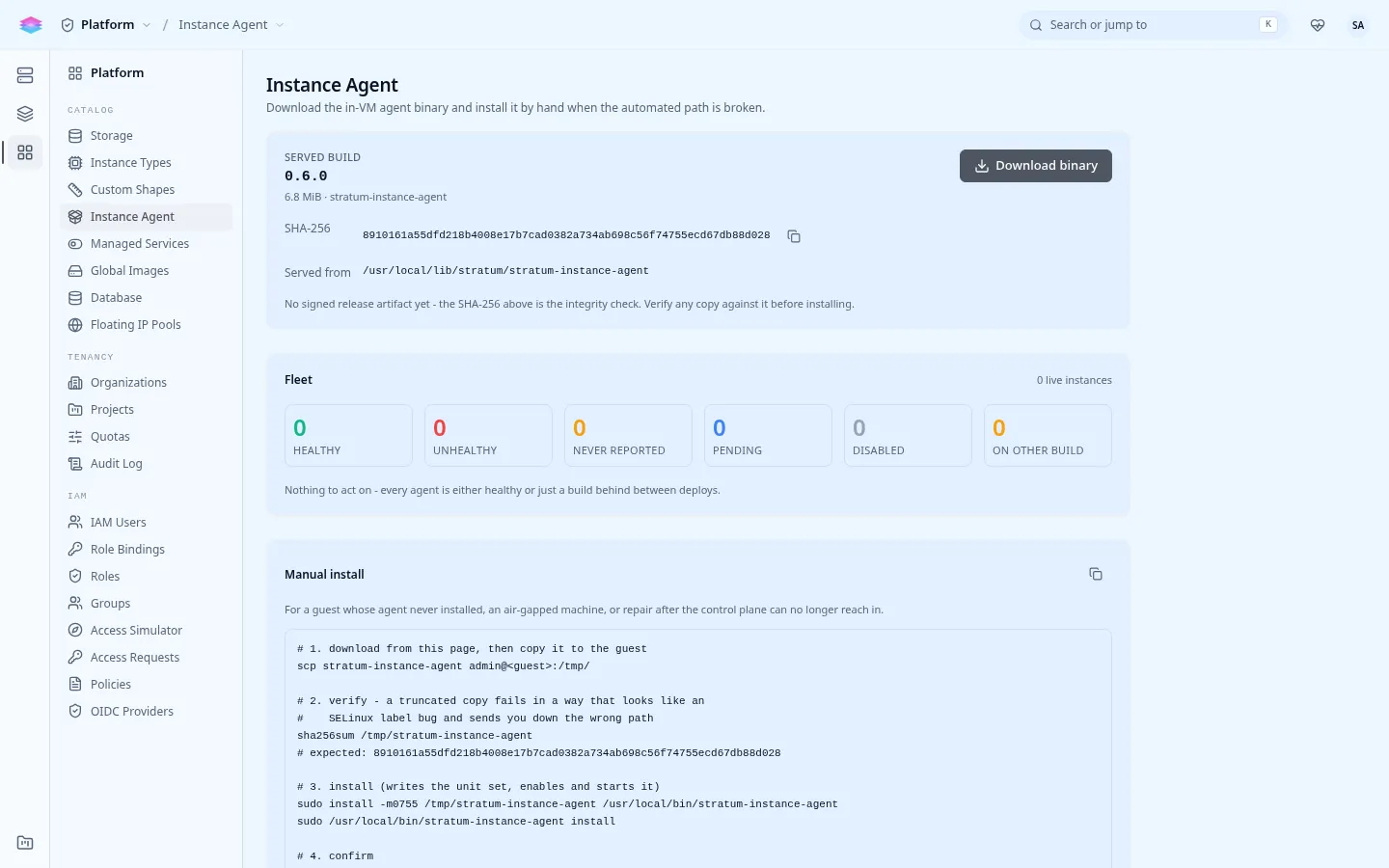
- Admin › Platform › Catalog › Instance Agent: the fleet (healthy, unhealthy, never reported, on another build), the served build and its SHA-256, a download, and manual install steps.
Health states
Section titled “Health states”| State | Means |
|---|---|
| Healthy | A heartbeat within the last couple of minutes. |
| Unhealthy | The agent has gone silent: shells, commands and posture reporting are down for this instance. |
| Never reported | The agent never started. Usually the image does not run full cloud-init; see Installation. |
| On other build | Healthy, but not on the build the platform serves; it updates itself shortly, or use Refresh agent. |