
Organizations, projects and quotas
Tenancy
Section titled “Tenancy”| Level | Holds |
|---|---|
| Install | Everything. Operators act here. |
Organization (o-…) |
Projects, and the people who own them. |
Project (p-…) |
Resources: instances, VPCs, volumes, load balancers, DNS zones, backups. Every resource belongs to exactly one project. |
The install has a system organization and a p-system project for the
platform’s own resources: its images, its front door, its alarms.
stratumctl orgs create acme --display-name "Acme"stratumctl projects create web --org o-abc123 --display-name "Web"stratumctl projects listConsole: Admin › Platform › Tenancy, Organizations and Projects. People and their access are under Identity and access.
Quotas
Section titled “Quotas”Every project has a limit per dimension: vCPUs, memory, volume bytes, volume count, floating IPs, concurrent sessions and more. A project’s limit is:
- the project override an operator set, else the install-wide default;
- then the organization’s value, if its admins set one: the project’s
allocation, else the organization’s per-project default
(
orgs quotas set-default).- When the operator gave the organization a ceiling on the dimension, that value replaces the install default, and an operator override on the project still caps it.
- Without a ceiling, the organization’s value can only lower the limit.
The ceiling also binds the organization’s total: a create must fit the
project’s limit and the ceiling. Clearing an override (admin quotas clear)
returns the project to the install default, with the organization’s value on
top.
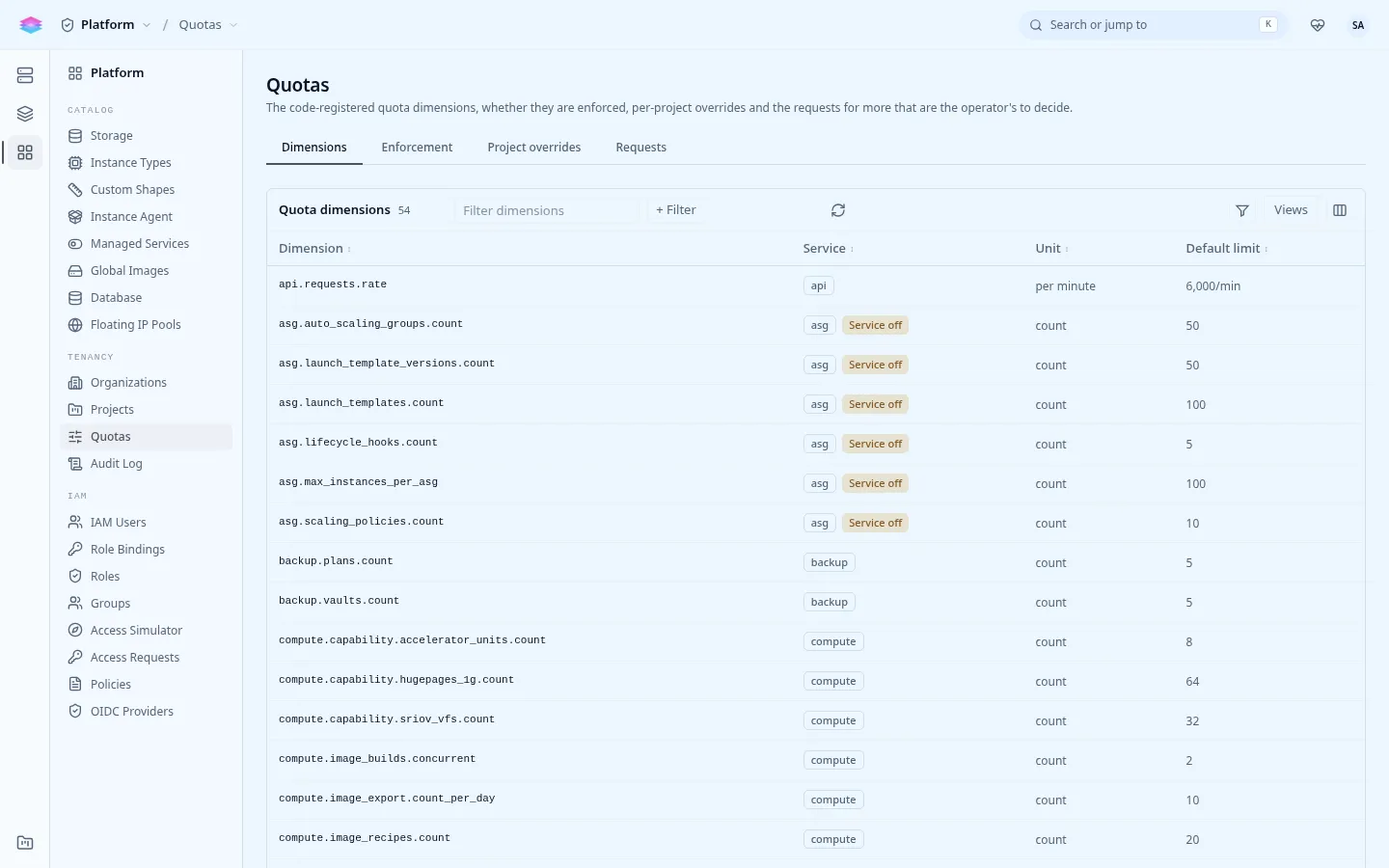
stratumctl admin quotas dimensions # every dimensionstratumctl admin quotas defaultsstratumctl admin quotas set-default --dimension compute.vcpus --limit 64stratumctl admin quotas set-org --org o-abc123 --dimension compute.vcpus --limit 256stratumctl orgs quotas allocate --org o-abc123 --project p-web --dimension compute.vcpus --limit 32stratumctl orgs quotas set-default --org o-abc123 --dimension compute.vcpus --limit 16stratumctl admin quotas set --project p-web --dimension compute.vcpus --limit 48 # an overridestratumctl quotas get --project p-web # limits and useDimension keys read <service>.<resource>.<unit>, for example
compute.vcpus, compute.memory.bytes, compute.instances.count.
Tenants ask for more with stratumctl quotas request; operators see the queue
with stratumctl admin quotas requests and approve or deny each one. Console:
Admin › Platform › Tenancy › Quotas.
| Finding or alarm | Means |
|---|---|
QuotaDefaultsMissing |
A dimension has no install-wide default. |
QuotaOverLimit |
A project uses more than a lowered limit. It keeps what it has; new creates on that dimension are refused. |
quota-near-limit |
A project is close to a limit. |
quota-requests-pending |
Requests are waiting for an operator. |