
Alarms and notifications
The Platform Health pack
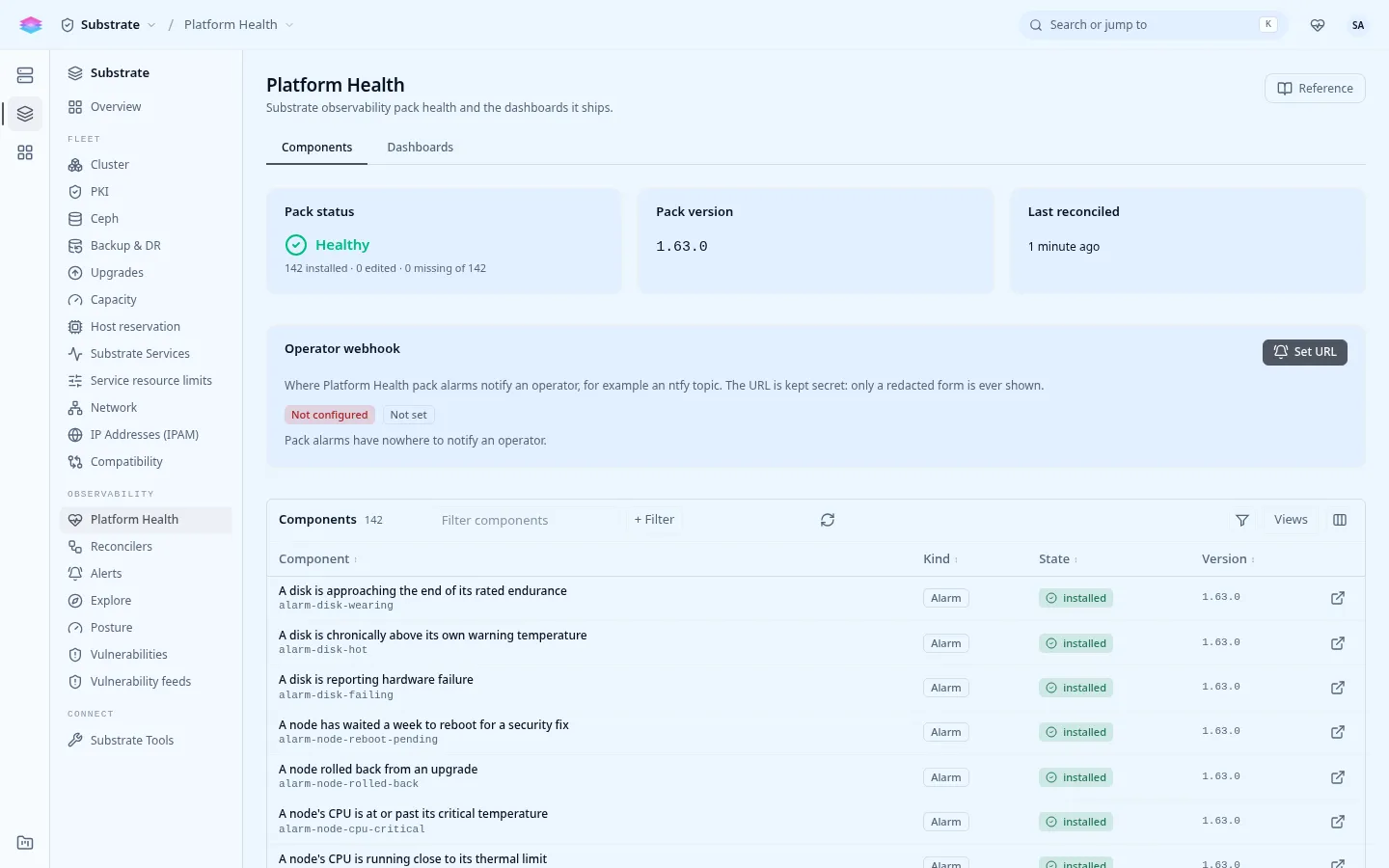
Section titled “The Platform Health pack”The platform ships its own monitoring as a pack: alarm rules, dashboards and metric filters, kept in step with the release by a reconciler. It covers the nodes (drives, temperatures, NICs, MD arrays), the control plane, the database, the network, DNS, load balancers, backups, upgrades, certificates, quotas and the reconcilers.
Console: Admin › Substrate › Platform Health shows the pack’s version, its components and dashboards. A component changed by hand can be reset to the pack’s default there.
Alarms
Section titled “Alarms”Console: Admin › Substrate › Alerts has three tabs:
| Tab | Shows |
|---|---|
| Definitions | Every platform alarm and its rule. |
| Firing | What is firing or pending now, across every tenant. |
| Silences | Suppressions, for planned work. |
While the cloud settles after a start, an upgrade or a reboot, firing alarms are held back so a restart does not page anyone.
A few to know:
| Alarm | Fires when |
|---|---|
cluster-not-ready |
A blocking readiness finding has been open for 10 minutes. |
platform-dead-mans-switch |
The control plane stopped emitting its heartbeat metric: the monitoring of the platform itself is broken. |
disk-failing, md-raid-degraded |
A drive is failing, or an MD array lost a member. |
backup-rpo-exceeded |
No good platform backup within twice the cadence. |
security-update-unapplied |
A security release has waited more than 7 days. |
upgrade-failed |
The last upgrade failed and was not acknowledged. |
pki-cluster-ca-expiring |
The cluster’s CA expires within 90 days. |
Getting notified
Section titled “Getting notified”Alarms reach people only through a channel. Two ways, often both:
The operator webhook receives every platform alarm. Set it on the Platform Health page, or:
printf '%s\n' "https://hooks.example.com/stratum" | \ stratumctl admin observability operator-webhook set --url-stdinstratumctl admin observability operator-webhook getstratumctl admin observability operator-webhook clearFurther stdin lines are request headers (Authorization: Bearer ...), which keeps
tokens out of the URL and the shell history.
Notification channels are per project: email, a webhook, Slack or PagerDuty. For platform alarms, create them in the system project and attach them to the pack’s alarms:
- Open the
p-systemproject in the console, then Observability › Notification Channels › Create. - Choose the type and its target. Secrets such as a webhook URL are write-only.
- Attach the channel to the alarms that should use it, under Observability › Alarms.
console-notification-channelReadiness reports NoAlertChannel while the system project has none, and
AlertNotifyFailing when a channel refuses deliveries (a dead URL or a bad
token).
Tenants use the same notification channels and alarms for their own resources in their projects.