
Ceph day 2
Ceph backs the ceph-rbd storage classes. It is run through the platform, not
by hand: you record what you want and a reconciler makes the cluster match. Console:
Admin › Substrate › Ceph, with the tabs Overview, Hosts & OSDs, Pools, Object storage, Events and Maintenance. The calls below are install-scope admin calls under
/v1/admin/storage/ceph, with $API and $TOKEN.
Ceph is never reachable by tenants.
Health and capacity
Section titled “Health and capacity”| Read | Shows |
|---|---|
GET /ceph/status |
Health (HEALTH_OK, HEALTH_WARN, HEALTH_ERR) and its checks, monitor quorum, OSDs up and in, placement group states, capacity, active flags. |
GET /ceph/osds |
Each OSD: host, up and in, device class, disk, utilisation. |
GET /ceph/mons |
Monitor placement and quorum. |
GET /ceph/crashes |
Daemon crash reports. |
GET /ceph/cluster |
What is wanted and what exists, including osdSelection. |
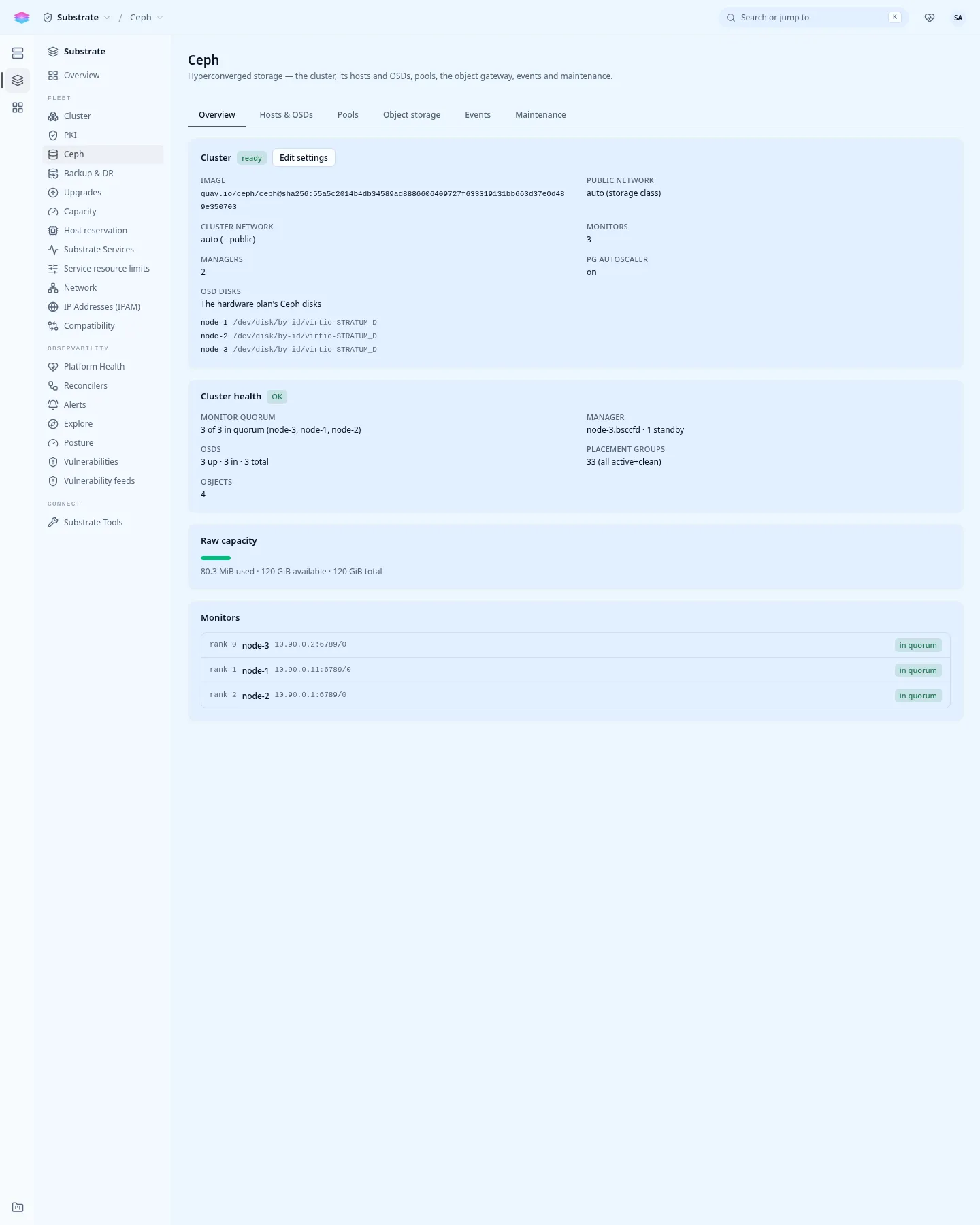
The Ceph page has a capacity history chart: raw capacity, used and available, and the data stored per pool, over 1 hour, 24 hours or 7 days. Raw capacity is before the three copies; a pool’s own free space is what it can still take, after them, so the pools’ numbers do not add up to the raw free space. Before Ceph exists, or while no manager runs, the chart is empty.
Before Ceph exists, these reads answer 200 with nothing in them. A 503 CEPH_UNAVAILABLE means a cluster that exists did not answer: that is an outage.
Readiness flags a problem Ceph reports: CephHealthNotOK (blocking on
HEALTH_ERR) and CephCrashUnacknowledged. Read a crash’s stackSig first: two
crashes with the same one are the same bug recurring. When you have read them,
archive them (POST /ceph/crashes/actions/archive-all) to clear RECENT_CRASH.
Pools and storage tiers
Section titled “Pools and storage tiers”Console: the Pools tab, Create pool.
volumes is the default pool: three copies, at least two to accept writes, each copy
on a different node. It cannot be deleted. Add pools for other tiers, for example
an SSD tier:
curl -X POST "$API/v1/admin/storage/ceph/pools" -H "Authorization: Bearer $TOKEN" \ -H 'Content-Type: application/json' \ -d '{"name": "ssd-tier", "size": 3, "minSize": 2, "deviceClass": "ssd"}'stratumctl storage-classes create fast --driver ceph-rbd --pool ssd-tierdeviceClass (ssd, hdd or nvme) keeps the pool on OSDs of that class. A
volume of the class fast is created in ssd-tier.
PATCH /ceph/pools/{name}changessize,minSize,pgNumordeviceClass.DELETE /ceph/pools/{name}?confirm=truedestroys the pool and its data. It is refused while a storage class or volume still uses the pool.- The platform will not move a populated pool onto a placement rule that places data differently: that is a data migration, and it reports it instead.
Add an OSD
Section titled “Add an OSD”Give a node’s blank disk the ceph-osd role. This wipes it, and the Ceph
reconciler uses the plan’s disks:
stratumctl nodes disks n-4k2x9m1qstratumctl admin nodes hardware-plan set n-4k2x9m1q --disk /dev/disk/by-id/nvme-EXAMPLE_C=ceph-osdSee hardware-plan set.
GET /ceph/cluster shows what is applied as osdSelection. A disk the plan
marks system, compute or unused is never made an OSD.
Replace a failed disk
Section titled “Replace a failed disk”Console: the Hosts & OSDs tab, the OSD’s Purge / replace disk.
curl -X POST "$API/v1/admin/storage/ceph/osds/4/purge" -H "Authorization: Bearer $TOKEN" \ -H 'Content-Type: application/json' -d '{"zap": true}'curl -s "$API/v1/admin/storage/ceph/osd-removals" -H "Authorization: Bearer $TOKEN"The purge drains the OSD (safely: it waits for its data to move), stops it,
removes it and wipes the disk. Then fit the replacement. If it has another hardware ID,
give it the ceph-osd role. Watch GET /ceph/status return to
HEALTH_OK.
With exactly as many OSDs as copies (three OSDs, size 3) a drain cannot finish: Ceph
has nowhere to keep the third copy. Add capacity first, or pass "force": true
for a deliberate replacement.
Other per-OSD actions, POST /ceph/osds/{id}/...: out drains it (refused if it
would drop a pool below minSize; force overrides), in returns it,
reweight with {"weight": 0.8} moves data off a nearly full disk, and destroy
removes a drained OSD’s identity.
Maintenance
Section titled “Maintenance”A node’s reboot or shutdown sets Ceph’s
noout for its own OSDs and clears it again. You need nothing for that. For work on
Ceph itself:
curl -X POST "$API/v1/admin/storage/ceph/flags" -H "Authorization: Bearer $TOKEN" \ -H 'Content-Type: application/json' -d '{"flags": {"noout": true}}'curl -X POST "$API/v1/admin/storage/ceph/hosts/node-2/maintenance" -H "Authorization: Bearer $TOKEN" \ -H 'Content-Type: application/json' -d '{"action": "enter"}' # "exit" to leaveFlags you may set: noout, noin, nodown, noup, nobackfill,
norebalance, norecover, noscrub, nodeep-scrub. Unset them when done: a
flag left on keeps Ceph in HEALTH_WARN.
Teardown
Section titled “Teardown”POST /ceph/teardown with {"confirm": true} removes the Ceph cluster. It is
refused while any ceph-rbd volume exists.
Known trouble
Section titled “Known trouble”CEPHADM_REFRESH_FAILEDwith an otherwise healthy cluster is usually a device scan stuck on a node that had a fenced volume. Reboot that node once.