
Upgrade
An upgrade moves the cloud to a signed release. The platform plans it from the release’s manifest and what the node runs, then carries it out by itself, through its own restart and, when needed, the node’s reboot.
-
Plan. See what the upgrade would do. Nothing changes.
Terminal window stratumctl admin upgrade plan 0.3.0Release: 0.3.0 (signed by ABCDEF0123456789)Kind: containersImpact: VMs keep running. The API is briefly unavailable while the control plane restarts.Changes are refused from the backup until the upgrade ends.NODE KIND REBOOT RESTARTS VMSnode-1 containers none stratum-controlplane, stratum-ui 3 keep runningplanexits 2 when a precheck fails. -
Start, now or staged:
Terminal window stratumctl admin upgrade start 0.3.0 --wait # now, following it to the endstratumctl admin upgrade start 0.3.0 --stage-only # fetch only; nothing that runs changesA staged upgrade waits. Continue it in a maintenance window, or drop it:
Terminal window stratumctl admin upgrade apply upg-abc123stratumctl admin upgrade cancel upg-abc123 -
Follow.
Terminal window stratumctl admin upgrade status # the current upgrade, and what each node runsstratumctl admin upgrade status upg-abc123 --wait # follow onestratumctl admin upgrade history
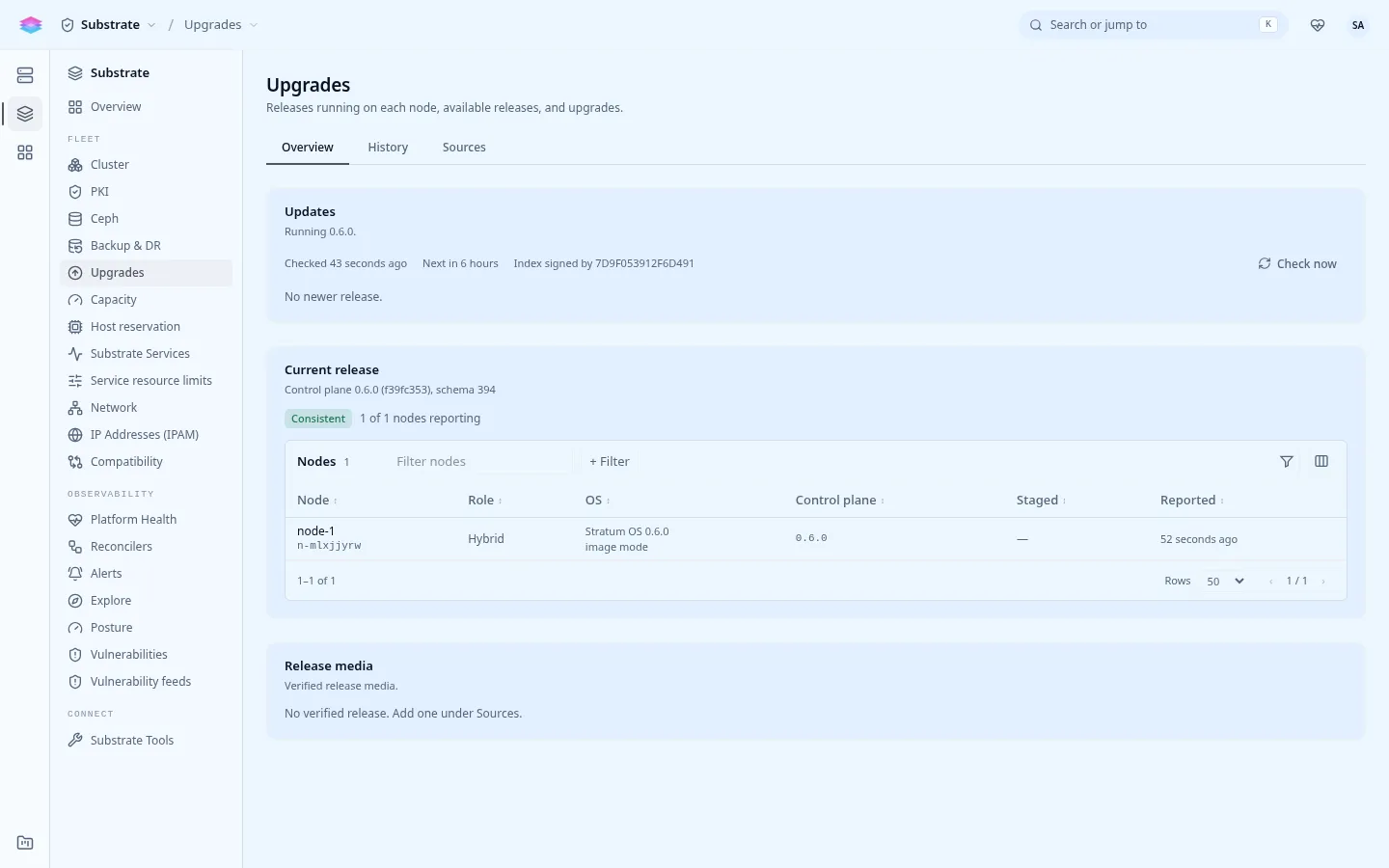
Console: Admin › Substrate › Upgrades shows the running release, available releases, the plan with its prechecks, and each upgrade’s progress.
The kind follows what the release changes on the node; it is not a choice.
| Kind | The release changes | What restarts | Instances |
|---|---|---|---|
containers |
Container images only | The changed platform containers | Keep running |
host |
The host binaries | The containers, then the host binaries switch live | Keep running |
os |
The base OS or the kernel | The node reboots (a faster soft reboot when the kernel stays) | Shut down cleanly, start again after the boot |
A release whose OS change fixes a vulnerability says so in the impact, with its CVEs.
Prechecks
Section titled “Prechecks”The upgrade is refused while any of these fails:
- the cloud is ready, and no shutdown or other upgrade is in progress;
- the release’s signature verifies against a key the running release trusts;
- every node is ready and reported what it runs within ten minutes;
- there is room for twice the release and twice the last backup;
- the release is newer than what runs and allows an upgrade from it.
The steps
Section titled “The steps”| State | What happens |
|---|---|
planned |
Recorded. |
fetching |
Every node loads the release. Nothing that runs changes. |
staged |
Only with --stage-only: waits for apply. |
backing_up |
The pre-upgrade backup, to the backup target or on the node. From here until the end, changes through the API answer 503 UPGRADE_IN_PROGRESS; reads and sign-in still work. |
rolling |
Each node by its kind: restarts, binary switch, or OS switch and reboot. |
verifying |
Up to 30 minutes: the node reports the release and the cloud is ready again. |
done |
Every node runs the release. |
An upgrade can be canceled until its backup. Readiness carries
UpgradeInProgress while one runs, and the cloud settles
again after the restart or reboot.
Exit codes of start, apply and status --wait: 0 recorded or done, 2
refused, 3 failed or canceled, 4 --wait timed out (the upgrade goes on),
5 the session was signed out.
When it fails
Section titled “When it fails”stratumctl admin upgrade status <id> says at which step. Before the backup,
nothing that runs has changed. After an OS upgrade whose new OS does not come up
healthy, the node falls back to the previous OS by itself after three tries,
and the upgrade ends failed with the node rolled_back.
Fix the cause and start again, or roll back. Clear the failure’s findings and alarms with:
stratumctl admin upgrade acknowledge upg-abc123| Alarm | Fires when |
|---|---|
upgrade-failed |
The last upgrade failed and was not acknowledged. |
node-rolled-back |
A node switched itself back to the previous release. |
node-reboot-pending |
A staged OS upgrade with a security fix has waited more than 7 days. |
upgrade-stuck |
An upgrade stayed in one state for two hours. |
Disk space
Section titled “Disk space”Each fetched release takes about 1.3 GB under /var/lib/stratum/upgrade. The
node keeps the running release, the one before it (for a rollback) and the one
it was installed with; the rest is removed after each successful upgrade.
stratumctl admin upgrade prune --dry-runstratumctl admin upgrade prune